How to prevent cut out and stutters when streaming high-quality music?
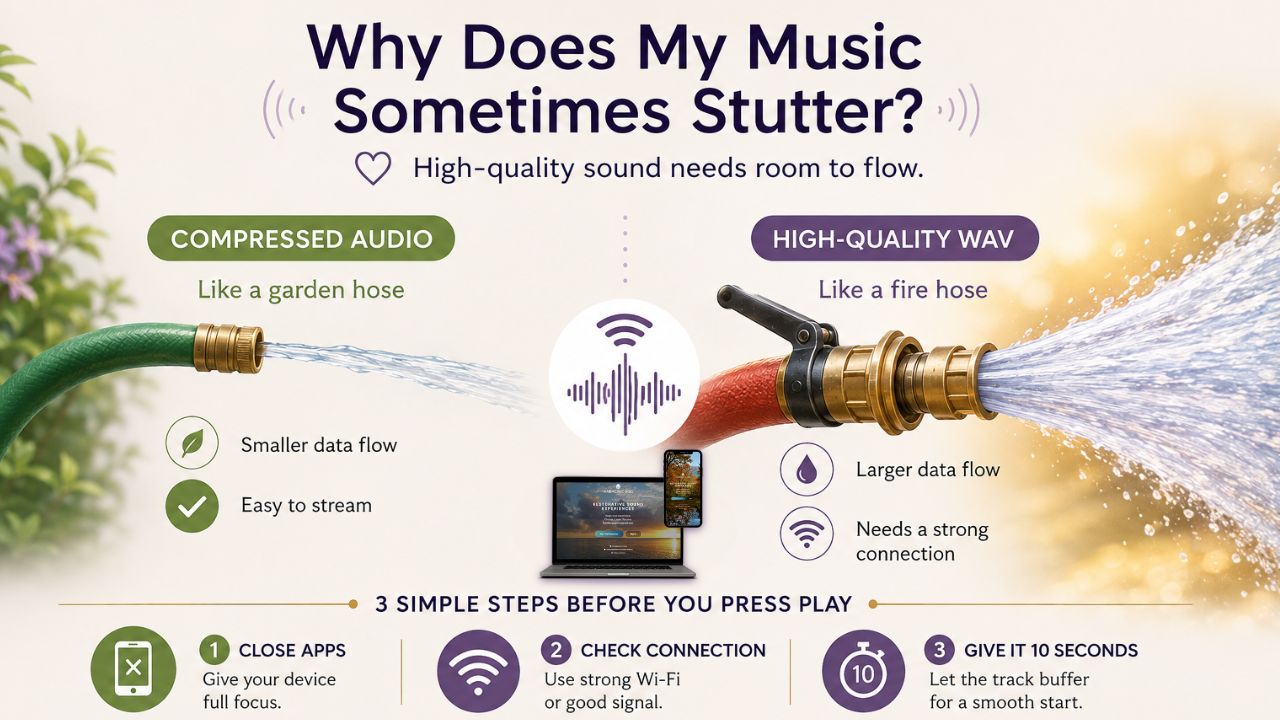
We are establishing a new standard for digital sound therapy that emphasizes the quality and integrity of sound, rather than simply compressing it for easier streaming.
As with any innovative approach, there can be challenges along the way. 😊
One common question we receive is:
“Why does my music sometimes cut out or stutter when I’m using the Harmonic Egg® app?”
The answer is quite straightforward.
Many of us are accustomed to streaming compressed music from platforms like Spotify or watching videos on YouTube without considering the amount of data being sent to our devices.
But the Harmonic Egg® app operates differently.
We stream high-quality, uncompressed .wav audio, which carries significantly more information than a typical compressed music file.
This means your device requires a stronger and more consistent internet connection to maintain a smooth audio experience.
If your music pauses or stutters, it doesn’t necessarily indicate a problem with the app or the audio itself. It may simply suggest that your device or internet connection needs a bit more support to keep up.
Think of it like a garden hose versus a fire hose.
Picture a compressed music app as a small garden hose. It doesn’t take much water to keep it flowing, so even a weaker connection can usually manage.
Now, envision turning on a fire hose.
This analogy is closer to what happens when you stream high-quality, uncompressed audio. There is a significantly larger volume of information flowing through the connection.
If your Wi-Fi briefly drops, your cellular signal weakens, or your phone is busy with other applications, the flow can slow down, causing the music to pause momentarily to catch up.
The sound isn’t the issue. It’s the connection trying to keep pace with the quality of the sound.
A simple 3-step routine before you hit play.
If you’re encountering cutouts or stuttering, try these three straightforward steps:
- Close your background apps.
Shut down apps like Facebook, email, web browsers, and anything else you aren’t actively using. This allows your device to focus more on streaming your music. - Check your connection.
Whenever possible, connect to a strong, reliable Wi-Fi network. If you’re using cellular data, ensure you have a good signal. - Give it a few seconds.
Since these audio files are larger, allowing the track a few moments to begin loading before you settle in can help create a smoother listening experience.
And remember, a little patience can go a long way when you’re choosing quality.
Just like whole, organic food may require a bit more attention than fast food, high-quality acoustic sound needs the right environment to flow at its best.
We believe it’s worth the effort.
When it comes to sound therapy, we aim to provide you with the best sound possible, not just the most convenient option.
If you experience a cutout or stutter, try the three steps above first. Most of the time, giving your device and connection a little extra support is all it takes to restore the music flow beautifully.
With so much love,
The Harmonic Egg Team
Prevent music streaming issues


Comments
Post a Comment